


The Four Main Pricing Models

The Rising Cost of Running Youth Sports And what league administrators can do about it. Youth Sports Are Getting More Expensive If you run a youth sports league, you already know it in your gut: the budget that worked five years ago doesn't come close today. But the full picture is starker than most administrators realize. Since 2019, operating costs across youth sports have risen by an average of 46%. That's more than twice the rate of general inflation over the same period. This isn't one problem. It's five compounding ones: equipment costs driven up by supply chain disruptions and material prices; a growing referee and umpire shortage that has pushed officiating fees higher while making games harder to staff; facility and gym rental rates climbing in markets where demand for court and field time has far outpaced supply; insurance premiums surging as carriers exit the youth sports market; and the cost of simply running an organization — staff, software, communications — rising in lockstep with everything else. The result is a squeeze that falls on league administrators, parks and recreation departments, and community organizations that were already operating on thin margins. Registration fees go up. Families feel it. Participation drops. And the communities that depend on youth sports to keep kids active and engaged lose something they can't easily get back. To see how these trends break down for your specific sport, use our interactive cost tool: go.teamsideline.com/the-cost-of-youth-sports .
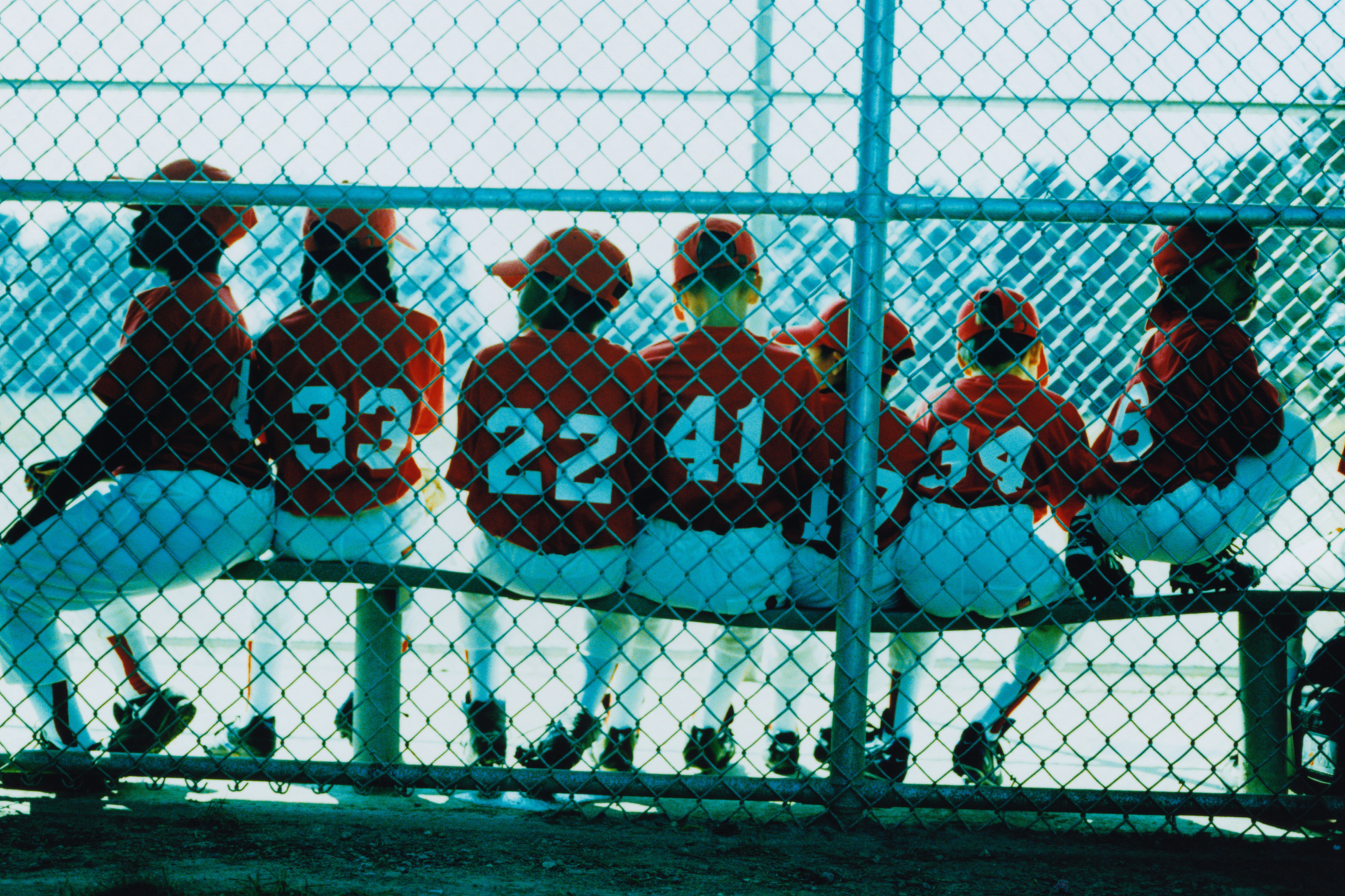
By Jennifer Gladstone via Protect Youth Sports - A TeamSideline Partner In a perfect world coaches instill a strong work ethic, teach life skills, and leave kids and teens with a lifelong passion for their sport. Blindly trusting those wanting to coach children is never a good idea. News stories of sexual assaults, emotional or physical abuse remind us that it is essential that kids’ sport coaches and mentors have the same background checks and screening as anyone else who has access to minors. Implementing background checks as part of your league’s vetting process sets a standard for your community. Not only does it show how committed your organization is to safety, responsibility, and professionalism, but it also creates a culture where accountability is prioritized. This is important whether you are a county rec league or a national organization. No matter how wonderful a coach may seem, everyone must go through the same process. When safety measures are universally enforced, everyone, from parents to organizers can sit back and enjoy the game. Here are the main things you get from a quality background check: Protecting Kids from Avoidable Harm In any sport, we know there are risks. It’s impossible to protect athletes from a collision, a stray ball, or even a twisted ankle. We outfit them as best we can to protect from these unavoidable injuries, but youth sports put kids in vulnerable situations that are harder to protect against. Background checks help make sure adults working with children have no history that might raise red flags. Background checks will reveal: Criminal History : This includes prior convictions for abuse, assault, or other criminal activities that would make them unfit to work with children. Sexual Misconduct : Checking sex offender databases is an absolute must for these positions. Driving Records : This might not be necessary for everyone, but if your coach is going to be responsible for taking athletes to and from events, it makes good sense. Building Trust with Parents Parents won’t sign their kids up season after season if they don’t trust your organization. It’s imperative your organization shows its commitment to families by background checking coaches and mentors to reinforce that trust. When you are able to clearly show parents that you take the safety of young athletes seriously, parents can feel confident that their kids are in good hands. This trust allows the coaches to do their jobs and the parents to relax and enjoy the experience. Protecting Against Liability An unqualified coach that hasn’t been vetted can do irreparable harm to children in their care, but they can also ruin your group’s reputation or worse their actions can send you to court. Skimping on background screening can be seen as negligence, and it is hard to recover from that reputation. When you have a solid background screening program in place, your organization can proudly show that it’s doing its due diligence. When organizers and families know that all coaches have been screened, everyone can rest assured that children’s welfare is the priority. In the unfortunate event that there is an incident, your risk of liability is limited since you can show you took all the possible steps to protect your athletes. Making Sure Coaches are Not Just Safe, but Qualified The right background check program not only keeps predators out of your organization, but when you choose the right options, it can help ensure coaches are qualified to do the job. Screening can confirm a potential coach’s: Experience in the sport Certifications like first aid or concussion protocol training Educational background relevant to coaching and child development Building the Best Background Check When hiring a coach, relying on word of mouth or past experiences may not set your organization up for a win. To conduct the most effective background checks, youth sports organizations should partner with a reputable company that specializes in the process. A comprehensive background check should include: National, State, and County Criminal Record Checks to look for both felonies and misdemeanors. Identity Verification to confirm the applicant’s Social Security number, check for aliases, and confirm address history to improve the quality of the criminal records searches. Fingerprinting may be required depending on your state’s requirements for volunteers working with vulnerable populations. Reference Checks to verify the applicant’s experience and character. All youth sports organizations should have a clear policy outlining which background checks are required for each type of candidate. Your administrative staff, for example, might require different packages than your volunteers. For example, someone handling money or who has access to your company’s financials may require a credit check. A position that represents your organization to the public may need a social media screen to assess any history of potentially damaging remarks that could reflect negatively on your group. Organizations should also have a plan for re-screening either every year or every couple of years depending on your state’s requirements. Background Checks Are Essential for Vetting Coaches and Mentors in Kids’ Sports Having a customized, effective, and reliable screening system protects your organization and all of the families you serve. Want to learn more? Contact our sales team for a demo at sales@teamsideline.com . About the Guest Author: Jennifer Gladstone is a news anchor and journalist with more than 25 years of experience in front of the camer. She is now the owner of Gladstone Creative Media, allowing her to represent a broad group of clients in the energy, banking, technology, and human resources sectors. Jennifer has been working in the Background Screening space since 2013, helping employers navigate and better understand this very complex yet essential piece of the hiring process. *This material is for informational purposes only and should not be considered legal advice, guidance, or counsel. Readers and/or companies need to consult their own legal counsel about their compliance responsibilities under the FCRA and applicable state and local laws. Protect Youth Sports and TeamSideline disclaim any responsibility or damages associated with or resulting from the information provided.

For league administrators, organizing practice schedules is a critical task that impacts the efficiency of the entire season. A well-structured schedule ensures that teams get their necessary practice time while preventing conflicts with other teams, facilities, and events. However, this process can be time-consuming and prone to errors without the right tools. Streamlining Practice Scheduling with Automation Manually assigning practice slots can be daunting. With an automated scheduling tool, administrators can generate a full-season schedule based on availability, team needs, and league priorities. This not only saves time but also ensures a fair distribution of practice times while reducing conflicts. Steps to automate scheduling: Set up league-wide scheduling parameters. Define team practice frequency and location preferences. Use an automated tool to generate the full-season schedule. Review and adjust based on league needs before finalizing. Providing Coaches with Controlled Flexibility Some leagues prefer a structured practice schedule, while others allow coaches to adjust their practice times. With configurable permissions, administrators can decide whether coaches can edit schedules while ensuring conflicts are flagged before finalizing changes. A hybrid approach, where leagues set an initial schedule and allow coaches to make updates, helps balance control and flexibility. Ways to manage coach permissions effectively: Set default practice schedules at the start of the season. Turn coach editing on or off based on league preferences. Allow controlled changes with conflict detection. Provide clear guidelines on how coaches can request changes. Enhancing Communication with Automated Notifications A well-planned schedule is only effective if everyone is informed. Automated email, text, or app notifications help keep coaches, players, and parents updated on any changes. Administrators can configure these notifications at key intervals, reducing miscommunication and last-minute confusion. Best practices for practice schedule notifications: Set up automated reminders for upcoming practices. Send alerts for any schedule changes. Ensure parents and players have access to real-time updates. Utilize multiple communication channels to reach all participants. Utilizing a Public Multi-Location Calendar Visibility is key to preventing scheduling conflicts. A public multi-location calendar allows administrators, coaches, and teams to see available practice slots in real time, making it easier to adjust schedules as needed. This calendar ensures that fields and facilities are used efficiently throughout the season. How to optimize a shared practice calendar: Provide access to all coaches and administrators. Regularly update the calendar with real-time availability. Use color coding to differentiate teams and locations. Encourage teams to check availability before requesting changes. Simplifying Practice Scheduling with TeamSideline For administrators looking to streamline scheduling, TeamSideline offers features designed to automate practice assignments, provide controlled coach access, and enhance communication. By leveraging these tools, leagues can save time, reduce scheduling conflicts, and ensure a smooth season for all involved. Want to learn more? Contact our sales team for a demo at sales@teamsideline.com

Running a successful basketball youth league takes more than just assembling teams and scheduling games. Behind the scenes, league administrators juggle everything from scheduling and tournament management to facilities coordination and communication with players, parents, and coaches. Achieving a well-run season requires a strategic approach to key areas like scheduling, tournament planning, and facilities management. Here’s how to make it happen. 1. Creating and Communicating a Reliable Schedule A well-organized schedule keeps a basketball league running smoothly. Key elements include: Centralized Scheduling: Ensure all game times, practices, and tournament dates are easily accessible and regularly updated. Real-Time Updates: Use automated league management software to notify players, coaches, and parents of any schedule changes instantly. Accessible Communication: Provide a platform where participants can quickly check the latest schedules to avoid confusion and last-minute conflicts. 2. Seamless Tournament Management Tournaments are a highlight of any basketball league, but they can also be a logistical headache without proper planning. To execute a successful tournament, consider: Seeding and Bracket Management: Ensure fair seeding based on league performance and create digital brackets that update in real time. Game Officials & Volunteers: Secure referees and scorekeepers well in advance to avoid last-minute gaps. Clear Communication: Keep players, coaches, and parents informed on game times, locations, and tournament rules through an easily accessible platform. 3. Managing Facilities Effectively Organized facility management is crucial for basketball leagues operating across multiple gyms. Key strategies include: Centralized Scheduling: Use a single system to manage court reservations and prevent double bookings. Real-Time Availability Updates: Ensure teams and organizers always have access to the latest facility schedules. Multi-Venue Coordination: Simplify management across multiple locations for games, practices, and tournaments. Rental & Maintenance Tracking: Keep facilities in top shape by logging maintenance needs and tracking usage efficiently. 4. Ensuring Smooth Communication & Player Experience A great league experience isn’t just about the games—it’s about keeping everyone in the loop. Essential communication strategies include: Automated Alerts & Notifications: Use a system that sends reminders and updates directly to participants. Parent & Coach Portals: Offer a central hub where schedules, standings, and announcements are easily accessible. Feedback Mechanisms: Provide ways for players and parents to give input and improve the league experience. 5. Managing Registrations, Payments & Compliance From sign-ups to collecting fees, having an efficient registration system is vital. Consider: Online Registration & Payment Processing: Make it easy for parents to register and pay securely online. Player Eligibility & Waivers: Ensure all players meet league requirements and have signed necessary waivers. Rosters & Team Assignments: Streamline team formation based on age, skill level, and league rules. 6. Leveraging Technology for a Better League Experience The best leagues use technology to reduce administrative burdens and enhance the experience for everyone involved. A robust league management system can: Automate Scheduling & Notifications Handle Registrations & Payments Manage Tournaments & Brackets Facilitate Communication Across Teams By investing in the right tools and following these best practices, your basketball youth league can run efficiently, keep participants engaged, and ensure a fantastic season for everyone involved. Learn more about how TeamSideline can help streamline your league operations: Tournament Management. Ready to see it in action?

Volunteers are the driving force behind youth sports. From coaching to organizing events, they ensure that every game, practice, and activity runs smoothly. However, engaging and managing volunteers effectively requires more than just enthusiasm about the organization and the sport. How do you encourage people to step up, make a difference, and ensure your league stays secure? Here are some strategies to recruit and engage volunteers. 1. Communicate the Value of Volunteering Many people are willing to help but may not understand how valuable their contribution is. Make sure your potential volunteers know how their involvement directly impacts the kids, the success of the league, and the overall experience for everyone. Share success stories of how volunteers have made a difference, such as organizing team fundraisers, helping on the field, or stepping up to manage the snack stand. Tip: Use newsletters, emails, and social media to spotlight the great work your volunteers do. This can inspire others to get involved! 2. Set Up a Simple Sign-Up Process A clear, easy-to-follow sign-up process is crucial for keeping things organized and ensuring every role is filled. Enabling volunteer sign-up fields where people can easily select the roles they’re interested in. If managing snack bar or other volunteer activities outside of coaching, managing, or team parent, make sure they can see the time commitment, and enter their availability. Having everything in one place streamlines communication and ensures you don’t miss out on willing helpers. Tip: Set up automated reminders or confirmations so volunteers feel confident about their commitment. 3. Emphasize the Importance of Background Checks When working with children, safety is the top priority. Every volunteer should undergo a background check to ensure they’re fit to work with minors. Not only does this build trust with parents and the community, but it also protects the integrity of your league. Make background checks a requirement for all volunteer positions and be transparent about the process. Tip: Provide clear instructions on how to complete the background check during the sign-up process, and explain why this step is essential for the safety of the kids. 4. Offer Flexible Roles and Opportunities Not everyone can commit to being a full-time coach, but that doesn’t mean they can’t help. Offer various roles that require different levels of time commitment. Whether it’s helping with game-day setup, assisting in registration, or managing the snack stand, giving people options ensures more people can find ways to contribute. Tip: Use your sign-up form to outline all roles clearly, so volunteers can see what’s available and select roles that suit their availability. 5. Provide Clear Expectations and Training People are more likely to volunteer when they know exactly what’s expected of them. Provide detailed descriptions of each role, and offer training or resources to help them succeed. Whether it's an orientation for coaches or a quick tutorial on managing game scorekeeping, ensuring your volunteers are prepared will give them the confidence to do their jobs well. Tip: Host an orientation event before the season starts, where potential volunteers can learn about different roles and meet league staff and other volunteers. 6. Recognize and Reward Your Volunteers Recognition goes a long way in keeping volunteers engaged. Whether it’s a thank-you note, a shout-out at a game, or a volunteer appreciation event at the end of the season, acknowledging their contributions makes people feel valued. You could even offer small perks, like free team merchandise or discounts on registration for their kids. Tip: Create a “Volunteer of the Month” feature on your league’s website or social media to celebrate their efforts and encourage others to get involved. 7. Make It Fun! Volunteering should be an enjoyable experience, not a chore. Create an environment where your volunteers can have fun while helping out. Keep tasks simple, ensure events are well-organized, and add engaging elements like volunteer contests or team challenges to keep spirits high. Tip: Host fun events for volunteers, like picnics or game nights, to show your appreciation and keep the atmosphere light-hearted. 8. Ask for Feedback Your volunteers are your greatest resource, so ask for their feedback regularly. What’s working? What could be improved? Do they feel supported? By keeping an open dialogue, you’ll not only improve the volunteer experience, but you’ll also make your volunteers feel valued and heard. Tip: Send out a short, anonymous survey at the end of the season to gather insights on how to improve the volunteer process. Conclusion: A Safe and Strong Volunteer Community Makes All the Difference Engaging volunteers is the key to a successful youth sports program. By setting up a clear sign-up process, emphasizing background checks for safety, offering flexible roles, and providing recognition and support, you’ll build a solid foundation of dedicated volunteers. These efforts will keep your league running smoothly while creating a safe, engaging environment for kids and their families. Ready to boost your league’s volunteer engagement? Start implementing these strategies today to build a strong and secure community of volunteers! Want to learn more about how TeamSideline can help your organization implement these strategies?

Youth football is growing rapidly across the country, with both tackle and flag formats drawing in players from all backgrounds and genders. Football's rising popularity is inspiring more young athletes—including many girls—to join the field, creating diverse and vibrant youth leagues. As excitement builds, so does the need for effective management practices to handle this increased participation. For sports league administrators, staying organized with registration data, multi-game scheduling, and streamlined player verification is essential to creating a successful and enjoyable season for everyone. 1. Efficient Roster Management: Sorting Players with Registration Data, Birth Certificates, and Weigh-In Tracking One of the first steps to smooth league management is to ensure an efficient player rostering system that handles registration data effectively. Here’s how to leverage key information from registration through to game day: Registration as the Foundation: During the registration process, parents or guardians submit essential data, including birth certificates and player details. This foundational information is stored securely and serves as the basis for later roster creation and verification at games. Weigh-In Tracking for Tackle Football: For tackle leagues, keeping track of player weights ensures fair team assignments. Digital weigh-in tracking, recorded during registration, maintains organized records and simplifies the rostering process, which is especially important for weight-specific divisions or mixed-gender teams. Streamlining Player Sorting: Having registration dat a accessible streamlines, the player sorting process, allowing you to create balanced teams and ensure players meet eligibility requirements from the start. 2. Mastering Multi-Game Scheduling With more teams and limited field access, multi-game scheduling is essential. Here’s how to maximize efficiency with a scheduling tool: Automated Multi-Game Scheduling: Advanced scheduling software organizes games across fields and times, allowing smooth back-to-back scheduling. This feature is especially helpful for leagues running both flag and tackle games on shared spaces Conflict Detection: Multi-game scheduling tools often include conflict-detection capabilities to highlight potential overlaps, making scheduling seamless and minimizing administrative burdens. Playoff Brackets and End-of-Season Planning: As the season wraps up, auto mated playoff brackets simplify planning and create excitement. Real-time updates help parents, players, and coaches stay informed, making the season finale smooth and engaging. 3. Streamlined Volunteer Tracking and Background Checks With more players come more volunteers, and tracking their participation, roles, and background checks is essential for safety and smooth operations. Digital volunteer tracking tools allow you to: Assign Roles Efficiently: Tracking volunteer assignments for positions like coaches, referees, and field managers ensures that each game runs smoothly and is well-staffed. Automated Background Checks: Maintai ning compliance with background checks for all volunteers is critical for youth safety. A digital system with automated reminders simplifies the process, saving time for both administrators and volunteers. 4. Optimizing the Player Pass Process with Registration Data and Scannable Technology The player pass process is a powerful tool for quick and accurate check-ins on game day. Here’s how registration data integrates with the player pass and check-in process: Data Flow from Registration to Check-In: Player information collected during registration flows directly into check-in binders or scanners, verifying that details are accurate before players take the field. This step ensures that each player is eligible, and that all data is up to date. Physical Passes with Scanning Capability: Each player pass, generated from registration data, is a physical card that can be scanned to display additional player information. Scanning allows for quick check-ins, verifying the player's eligibility while reducing game-day delays. Secure and Efficient Check-Ins: Scannable player passes make check-ins more secure and efficient, allowing staff to foc us on starting games on time. This verification process also minimizes manual entry errors, ensuring a smooth experience for players, families, and volunteers. 5. Clear Communication and Pre-Season Planning Effective communication helps keep families, coaches, and staff on the same page throughout the season. Consider these tips for maintaining clarity: Pre-Season Orientation: Hosting a pre-season meeting for families is a great way to set expectations and explain policies around registration, volunteer roles, scheduling, and check-in procedures. Regular Notifications: Use automated notifications to keep families updated on scheduling, team assignments, and playoff brackets. This reduces the burden on administrators and ensures that parents and players always have the latest information. Embrace Tools for a Successful Season With youth football's popularity on the rise, having streamlined processes and tools for scheduling, player sorting, and volunteer management is more important than ever. By investing in the right tools for player passes, weigh-in tracking, birth certificate verification, and multi-game scheduling, your league can handle growth efficiently, passes, weigh-in tracking, birth certificate verification, and multi-game scheduling, your league can handle growth efficiently making for a well-run, enjoyable experience for everyone involved. TeamSideline can help with all the suggestions above, from document tracking in a clear workflow to Player Passes for check-in. Contact our sales team at sales@teamsideline.com to learn more!